Modulation, Synths and Pitch
Cognate Macro Synth Manual
Version v1.1.0 · 04/11/2026
Modulation, Synths and Pitch
Version v1.1.0 · 04/11/2026
| Category | Modulation, Synths and Pitch |
| Channels | Mono in / mono out |
| Version | 1.1.0 (04/11/2026) |
Cognate Macro Synth is a responsive, analog-sounding mono synth block for Anagram. Great for adding synth to bass or guitar, lead sounds or envelope filter effects.
Macro Synth is our homage to the Electro-Harmonix Bass Micro Synth. We modelled the key circuit elements: its sub-octave and octave-up voices, the square fuzz, the swept resonant filter, and the attack detector that fires the sweep on every note. Like the original it has no pitch detector. The voices lock straight to your strings, so slides, bends and ghost notes come through the instant you play them.
Then we added a set of synth Wave Shapes including saw, PWM, classic synth oscillator stacks and a super-saw, and three more filter Types (a Moog-style ladder, an MS-20 and a vowel formant), and a Blend control to keep your clean bass underneath.
Try adding blocks before or after Macro Synth in Anagram's chain. The Input slider passes your signal through to the filter, so it works great with other fuzz, overdrive, octave or pitch shifter blocks. Try chorus, phaser, delay or plate reverb after for an authentic studio vibe.
The Vowel filter combined with Start, Stop and Rate gives you a wide range of vocal-like sounds, like 'Yeah', 'Oww', 'Woah', or static sung vowels. Try the Sawtooth or Sawtooth Sub Wave Shape for a rich waveform to drive the filter.
You don't have to turn Stop all the way to 0 for a filter sweep. If you leave it around 2 to 3, the filter will stay open enough to hold your note as long as your instrument does. It kind-of emulates the Sustain part of a full ADSR synth envelope.
Trigger sets how the synth responds to your playing when opening the filter envelope. If you don't hear a sweep, turn trigger up. If the sweep is messy, constant or holds hard notes too long, turn it down.
But you can be creative with Trigger. Try setting it just too low for normal playing, but enough to open on harder notes - now you have a two-stage dynamic filter.

Page 1 of 3

Page 2 of 3

Page 3 of 3

Turns Macro Synth off and passes your bass straight through, with a short crossfade so switching in and out doesn't click. The block stays in your preset, so you can bind Bypass to a footswitch and kick the synth in for a chorus or a drop.
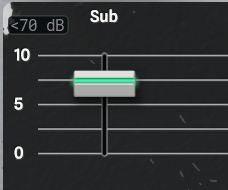
The level of the sub-octave voice, a square wave an octave below the note you play. It's made the way the pedal makes it, by dividing your string's own waveform rather than detecting its pitch. It's the foundation of most Macro Synth sounds: bring it up for weight under everything else. Like all four faders, it feeds the filter.
As on the original, the divider wants a clean, single note. Chords, heavy fret noise or a very weak signal can make it stumble, which is part of the character, but play cleanly for the tightest sub.
The level of your own bass in the synth mix. This isn't a clean path. Like the pedal's Input slider, it sends your signal through the filter and the gate with the synth voices, so it takes the sweep and the squelch too. It puts your instrument's attack and harmonics back into the synth, which helps a part speak in the mix.
For your untouched bass alongside the synth, use Blend on page 3 instead.
The level of the octave-up voice. As on the pedal, it's made by full-wave rectifying your signal, which doubles its frequency, so it's a bright, ringing tone with a hint of ring modulator rather than a clean pitch shift. It's most focused higher up the neck and on the neck pickup; on low notes it adds grit and buzz.
Set it a little below Sub for a big two-octave spread.
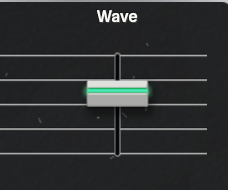
The level of the synth voice that Wave Shape selects: the square fuzz on the original pedal, or any of the other eleven shapes here. The shapes are level-matched, so you can switch between them without rebalancing this fader.
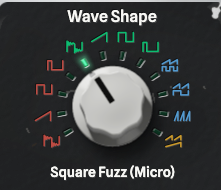
Chooses the synth voice the Wave fader brings in. Going clockwise, the knob runs through four groups, each lit in its own colour: four shapes an octave down (red), the same four at the pitch you play (green), three oscillator stacks (blue), and Super Saw + Sub at the end (amber). Every shape follows your strings, and changing shape crossfades, so you can switch while you play.
The square shapes hold full level for as long as the note stays above the Gate, then stop, as the pedal's square does. The saw, PWM and stacked shapes follow your playing's dynamics.
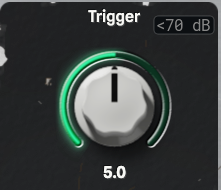
Sets how readily a new note fires the filter sweep. Like the pedal's, the detector listens for how fast your level rises, not how loud you play: a soft note retriggers as readily as a hard one, while a slow swell or a ringing sustain never does.
Turn it up and smaller attacks restart the sweep: lighter plucks, hammer-ons, ghost notes. Turn it down and only firm, separated notes do, so a legato line rides one sweep. At 0 the sweep never fires and the filter sits at Stop, a fixed filter you set by hand.
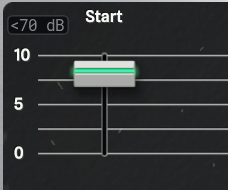
Where the filter jumps to when a note fires the sweep. Each new attack snaps the filter to Start in a few milliseconds, and from there it glides to Stop at the speed Rate sets. 0 is about 40 Hz, 5 about 1 kHz, and 10 is wide open.
Set Start above Stop for the classic Micro Synth sound: the filter opens bright on the pick and closes down. Set it below Stop and the sweep rises instead. With the Vowel filter, Start picks a vowel rather than a frequency (see Type).
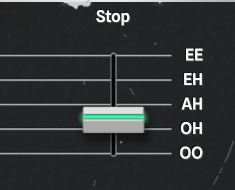
Where the sweep comes to rest. After each attack the filter glides from Start to Stop and settles there until the next note fires it, so Stop is the colour of your sustain. Low settings close it down to a dark, round thump; higher ones leave it bright.
Set Start and Stop to the same value for a fixed filter that doesn't move.
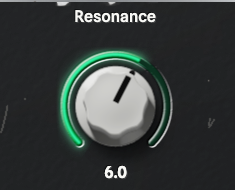
The peak at the filter's cutoff, which makes the sweep sing, squelch and talk. Low settings give a smooth, rounded sweep; higher ones make the movement vocal and obvious. Each filter Type answers in its own way:
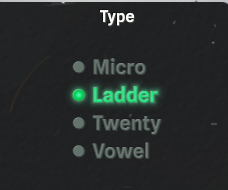
Chooses the filter the whole mix runs through. Start, Stop, Rate and Resonance drive all four, and switching crossfades, so you can change type without a click.
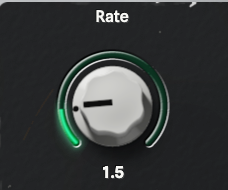
How fast the filter sweeps from Start to Stop; turning it up makes the sweep slower. As on the original, the sweep moves a steady number of octaves per second, so Rate sets the time per octave, not the length of the whole sweep: a wide sweep takes longer than a narrow one at the same setting.
Keep it low for a quick, percussive blip on every note, or turn it up for a slow, vocal glide that keeps moving through a held note.
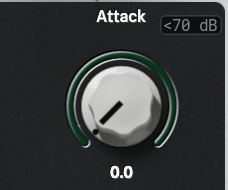
Fades the synth in on a new note instead of starting it at full level: an instant attack at 0, a slow swell of a few seconds at 10. Use a little to soften the pick, more for violin-style swells and pads.
The swell starts again only after a silence. Separated notes each swell in, but notes you play legato carry on at full level, as on the pedal. Gate sets what counts as silence.
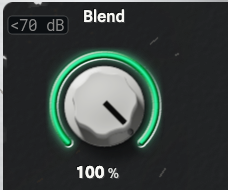
Mixes your clean, untouched bass back in alongside the synth. At 100 % you hear only the synth, and at 0 % only your dry bass. In between, your real low end and attack sit under the synth, which keeps a part solid when the tracking gets wild or the filter closes right down.
This is a separate path from the Input fader, which sends your bass through the filter with the synth.
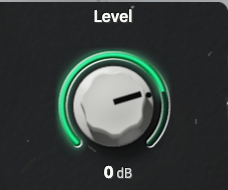
The output level while Macro Synth is on, the clean signal from Blend included. Match it to your bypassed tone, so kicking the synth in on a footswitch doesn't jump out of the mix or drop out of it.
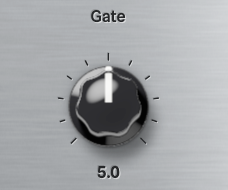
Gate and Modulation sit on the back panel at the end of page 3. They're set-and-forget controls, like the trim pots inside the original.
Gate sets the threshold below which the synth goes quiet: the squelch built into the pedal. Notes above it play. When a note decays below it, the output shuts off cleanly instead of trailing into glitches as the tracking loses the string. It also sets how long the square shapes sustain, since they hold full level until the note falls below the gate. It's also the silence that restarts the Attack swell.
Turn it up for tight, staccato notes and silence between them; turn it down to let notes ring longer and to catch lighter playing. Each step moves the threshold by 4 dB, and 5 matches the original pedal.
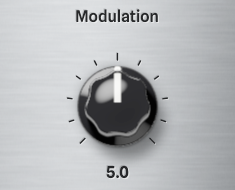
Sets how much the moving shapes move. It works on six Wave Shapes and does nothing on the others: